
FusionAmp FA251


Product information "FusionAmp FA251"
The Fusion Amp FA251 is a mono amplifier module designed for one way active loudspeaker applications. It is intended for use in active subwoofers or single channel active monitors requiring integrated amplification and DSP control.
The module incorporates a single 250 W NCORE® Class D amplifier channel and an onboard DSP. Signal processing is configured using Hypex Filter Design software, allowing adjustment of filters, levels and system parameters for the intended application.
The FA251 supports multiple input options, including balanced analogue XLR input and loop through, unbalanced analogue RCA input and high level input. This allows connection to a range of source devices and amplifier outputs.
A front panel gain control is provided for level adjustment. Optional accessories such as the Fusion Remote Kit or Fusion OLED Display can be used for remote control and status indication.
Multiple Fusion Amp modules can be configured in a master- slave arrangement to form multi channel active loudspeaker systems. The FA251 is intended for applications where a compact integrated amplifier and DSP solution is required for single channel active designs.
COMPATIBLE MODULES:
- • Fusion remote kit + Hypex remote
- • Fusion OLED display + Hypex remote
FEATURES
- • IIR and FIR filter options
- • 15 biquads per amplifier
- • Three selectable presets for filters
- • Source selection
- • Signal detect
- • Auto shutdown
- • Master-Slave option
PROTECTIONS
- • Clip protection
- • Thermal protection
POSSIBLE APPLICATIONS
- • Active Subwoofers
- • Active Guitar Cabinets
- • Active Monitor Loudspeakers
- • Active 1-way Loudspeakers; for home and professional use
| Output Power (4Ω): | 1 x 250W |
|---|---|
| Output Power (8Ω): | 1 x 130W |
| Inputs: | High Level, RCA, XLR |
| Mains voltage input: | 100-120Vac / 200-240Vac ±10% |
| Configuration: | 1 channel / 1-way |
| Family: | Fusion Amp Family |
| Technology: | NCORE® |
Downloads
CAD drawings


documentation
firmware
manuals
software
 Recommended additional products
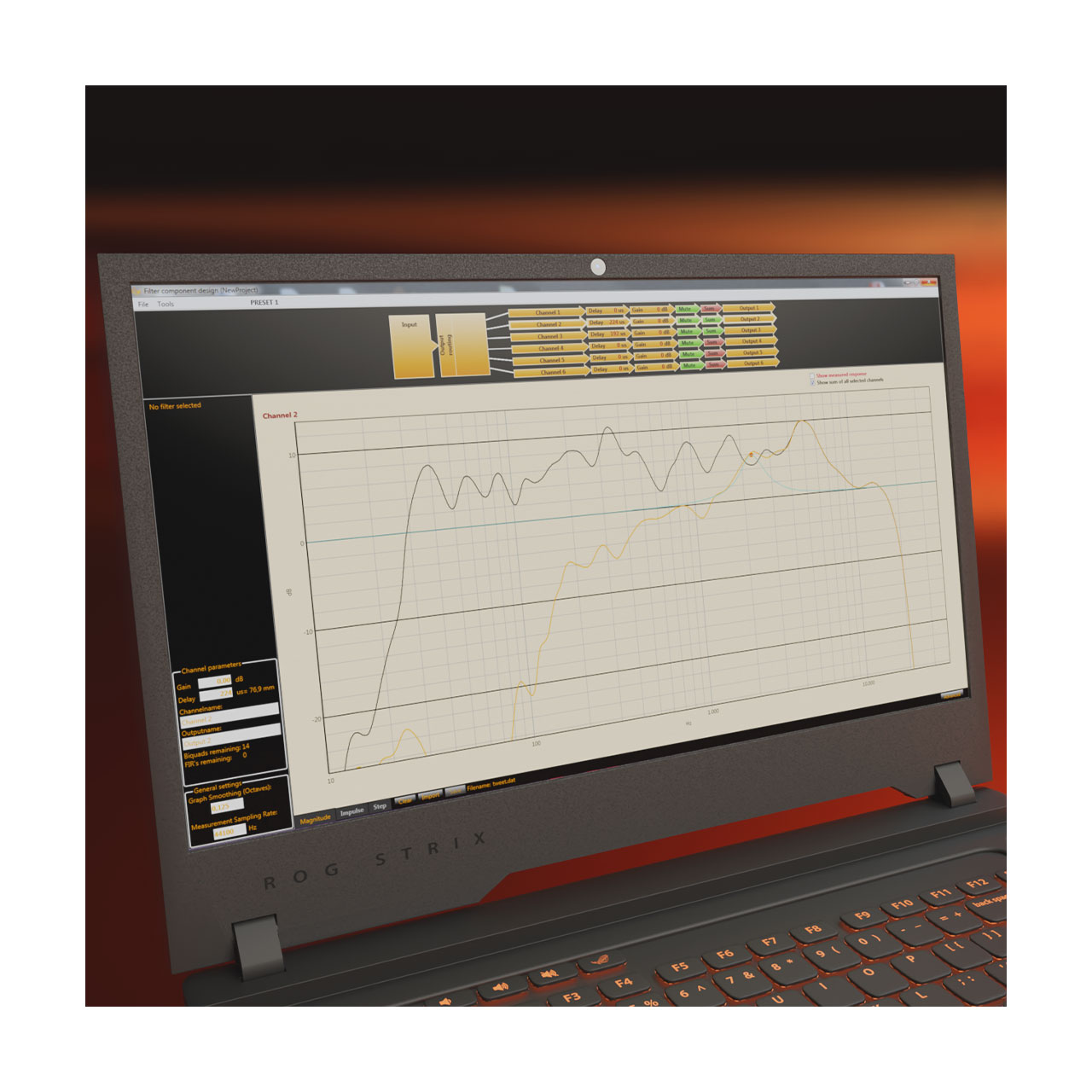
Hypex Filter Design software is a configuration tool for Hypex DSP products. It is used to configure and control Fusion Amplifier products and the DSP3-213 and DSP3-224 DSP modules. The software allows configuration of signal routing, filter structures and system parameters supported by the connected DSP hardware. Both IIR and FIR filter options can be configured where supported by the target platform. Hypex Filter Design provides access to available DSP functions through a graphical user interface intended to support efficient system setup and adjustment. The software is designed to support both initial configuration and subsequent parameter updates during system development and integration. Hypex Filter Design is intended for use in active loudspeaker systems and DSP based audio designs where direct control over filtering and system behaviour is required. Download only The Hypex Filter Designer is free of charge and only available as a download. You can select and download the software and documentation from within the downloads tab or by clicking the button below. Hypex Filter Designer is only available for Windows. DOWNLOAD HYPEX FILTER DESIGN HFD software consists of the following areas • Main Screen • Device settings screen • Filter design graphical screen • Filter design advanced screen Essential functions • Volume Control: Adjust volume levels with precision. • Channel Assignment: Customize channel configurations effortlessly. • Microphone Correction: Apply correction data for accurate sound reproduction. • Filter Sum View: Visualize the combined effect of applied filters. • Filter Inversion: Invert filter functions for creative control. • Delay Control: Fine-tune audio synchronization with delay options. • Graph Smoothing: Enhance visual representation with smoothing capabilities. • Biquad Filter Setups: Explore a wide range of filter setups for diverse audio scenarios. • Phase Response Viewer: Gain insights into phase response for meticulous system tuning. • Compatibility: HFD is designed to seamlessly integrate with DSP3-213 and DSP3-224, ensuring a broad spectrum of compatibility with Hypex DSP products. Use of Hypex Filter Design software assumes basic knowledge of active loudspeaker design and the application of digital filters. This ensures that system parameters are configured correctly and that the available DSP functions are used as intended. The software allows adjustment of system parameters such as volume levels, filter settings and signal routing within the supported DSP products. It is intended as a configuration and tuning tool for DSP based audio systems rather than an automated design environment. Hypex Filter Design is used to support precise control over DSP settings during system development, commissioning and optimisation.

Refine your listening comfort with the Hypex Remote Control - the ideal accessory for your Fusion Amplifier setup, perfectly compatible with the Fusion Remote kit or Fusion OLED Display. You can also find this remote included in the DIY PreAmplifier kit. Designed for effortless control, the Hypex Remote Control allows you to command your entire audio environment from the comfort of your seat. Adjust volume, mute, select inputs, select presets, and power on and off with ease. With a sleek, compact, and ergonomic design, it fits comfortably in your hand, while the simple and intuitive button layout makes it easy to operate - so you can enjoy your music without any hassle. Plus, a battery is included for immediate use. Note:This product is manufactured in China, while the majority of our products are manufactured in Malaysia, in accordance with the same quality standards.

All models of the FusionAmp range can be extended with this Fusion Remote Kit. This set contains a PCBA with IR receiver and bi-colour LED, a plexiglass front with double adhesive tape, 2 lightpipes, the necessary cable (125cm) and screws. You can mount this kit from the inside or outside of the speaker cabinet. This set must be used in master devices if the Hypex remote is to be used (remote not included). Furthermore, this set can also be added in slave devices, but the IR functionality will be disabled. The green LED acts as on-off indicator, the red LED mirrors the protect indicator. Package contents • Screws • PCBA with IR receiver, bi-colour LED • Plexiglass frontsheet of double adhesive tape • 2pcs light pipes • 5 pin cable 125cm

The FusionAmp models must be mounted into the speaker cabinet with 8 or 10screws. This set contains 10 self tapping, black, Phillips head screws, 4,3x25mm. Note:This product is manufactured in The Netherlands, while the majority of our products are manufactured in Malaysia, in accordance with the same quality standards.

Introducing the Fusion OLED Display – the perfect enhancement for all Fusion Amplifier Family models and the DSP3-213. Elevate your audio experience with this sleek display, designed to provide you with essential information at a glance. Whether it's monitoring volume levels, identifying active inputs, accessing presets, or staying informed about any error messages, the Fusion OLED Display ensures that every detail is effortlessly visible from your preferred listening position. Installing the Fusion OLED Display is a breeze. Designed for external attachment to the speaker cabinet, it comes equipped with double adhesive tape for easy and secure assembly. When integrated into a master-slave configuration, consider placing the display on the master device, especially if you plan to use the Hypex remote (remote not included). Please note that in slave devices, the IR functionality will be disabled while still offering all other benefits. The Fusion OLED Display includes • 1 x Fusion OLED Display • 1 x 5 pin cable 125cm • 1x Quick guide (Refer to the 'Downloads' tab for the complete User Manual) Upgrade your audio setup with the Fusion OLED Display – where information meets elegance.

Mains power cable to connect your products with IEC 60320 C13 and Euro connection.

Mains power cable to connect your products with USA and IEC 60320 C13 connection.